
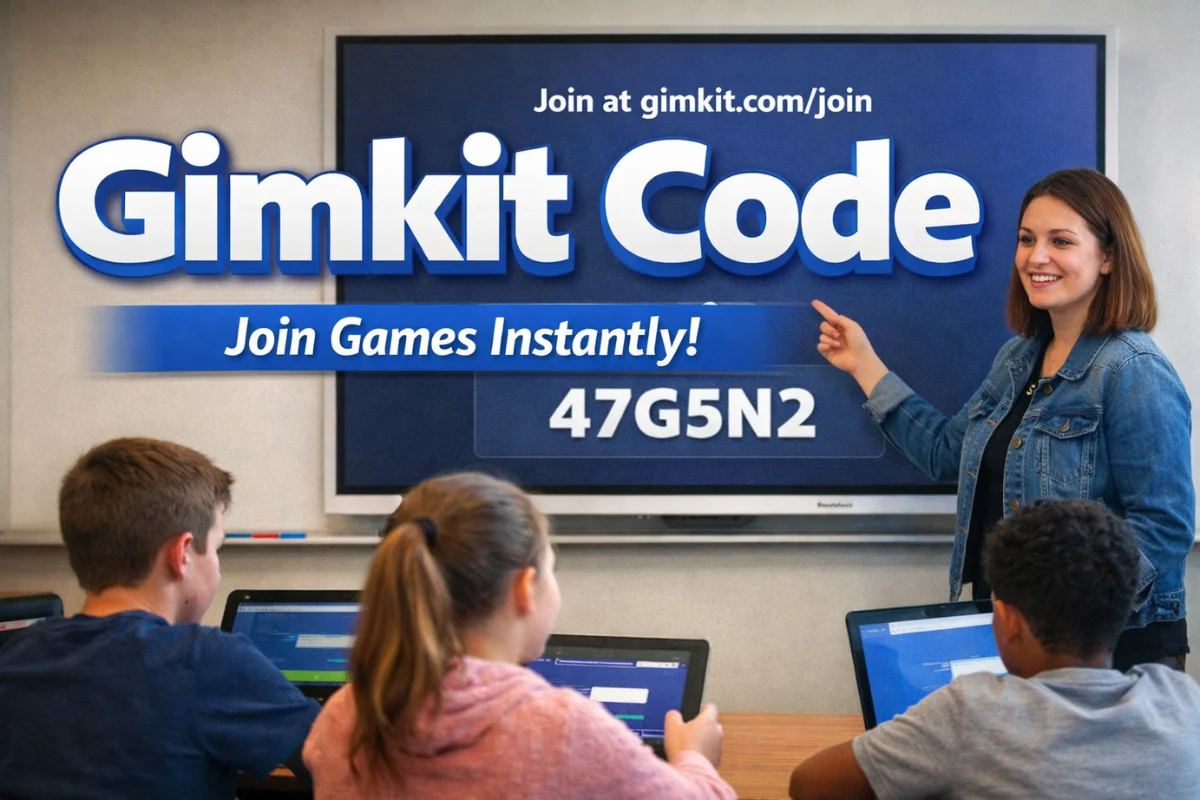
A Gimkit code is the simple gateway that connects students and teachers to one of today’s most engaging game-based learning platforms. With just a short, temporary code, students can instantly join interactive quizzes and classroom games without creating an account or navigating complex systems. This friction-free entry point is a big reason why Gimkit has become so popular in modern classrooms.
In this guide, we’ll explore what a Gimkit code is, how it works, how teachers and students use it, and why session-based codes are such a powerful tool for engagement, security, and accessibility. Whether you’re an educator looking to energize your lessons or a student curious about how Gimkit works, this article covers everything you need to know.
Table of Contents
ToggleWhat Is a Gimkit Code?
A Gimkit code is a short, unique combination of letters and numbers automatically generated by the Gimkit platform whenever a teacher hosts a game or creates an assignment. This code acts as a temporary access key that allows students to join a specific game session.
Unlike traditional learning platforms that require logins, email verification, or student accounts, Gimkit uses codes to keep the joining process simple and fast. Once the session ends, the code expires and can no longer be used.
Key Characteristics of a Gimkit Code
-
It is session-specific
-
It expires after the game or assignment ends
-
It is generated automatically by the system
-
It works for both live games and self-paced assignments
-
It allows access without student accounts
This design makes Gimkit especially effective in classrooms where time, simplicity, and accessibility matter.
Why Gimkit Uses Codes Instead of Accounts
Many educational tools require students to sign up, remember passwords, and manage profiles. While that works in some settings, it can slow things down in fast-paced classrooms.
Gimkit intentionally avoids this friction by relying on codes. According to Gimkit’s official documentation, the goal is to remove barriers so teachers can focus on instruction and students can focus on learning rather than technology management (source: Gimkit Help Center, gimkit.com).
Benefits of Code-Based Access
| Benefit | Explanation |
|---|---|
| Speed | Students can join in seconds |
| Privacy | No personal data or email required |
| Accessibility | Works on any device with a browser |
| Flexibility | Suitable for in-class and remote learning |
| Classroom Control | Teachers decide who joins and when |
By replacing accounts with codes, Gimkit keeps learning sessions focused, controlled, and efficient.
How a Gimkit Code Works Behind the Scenes
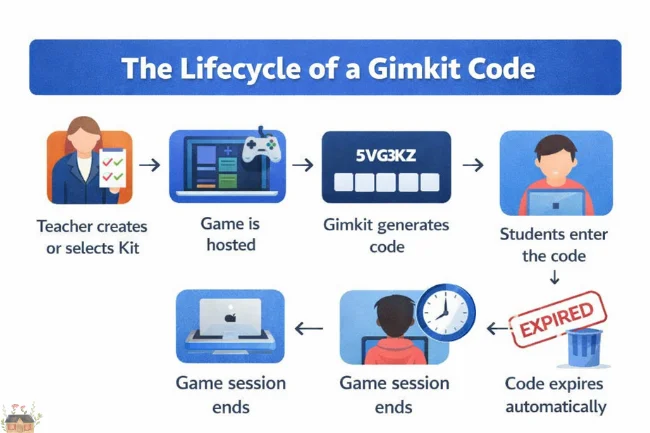
When a teacher starts a game, Gimkit creates a unique identifier tied only to that specific session. Think of it like a digital event ticket: valid for one experience, one time.
The Lifecycle of a Gimkit Code
-
A teacher selects or creates a question kit
-
The teacher hosts a live game or assignment
-
Gimkit generates a unique code
-
Students enter the code to join
-
The session ends
-
The code expires automatically
This approach ensures that no two games share the same code and prevents unauthorized access later.
How Students Use a Gimkit Code
From a student’s perspective, joining a game with a Gimkit code is intentionally straightforward.
Joining a Game Using a Code
Students simply:
-
Visit gimkit.com/join
-
Enter the code provided by the teacher
-
Choose a nickname
-
Join the game lobby
No account creation, no downloads, and no complicated setup.
Alternative Ways Students Can Join
Gimkit also supports faster entry methods that reduce typing errors and save time.
| Join Method | How It Works |
|---|---|
| Manual Code Entry | Students type the code on the join page |
| QR Code | Students scan a QR code displayed by the teacher |
| Direct Link | Students click a shared join link |
These options are especially helpful for younger students or large classes where speed matters.
How Teachers Generate and Share a Gimkit Code
For educators, creating a Gimkit code is part of hosting a game or assignment.
Step 1: Create or Select a Kit
A Kit is a collection of questions. Teachers can:
-
Build a kit from scratch
-
Use pre-made kits from the Gimkit library
-
Allow students to contribute questions using KitCollab
This flexibility allows teachers to tailor content to their curriculum.
Step 2: Choose a Game Mode
Gimkit offers multiple game modes, ranging from classic quiz formats to strategy-based experiences like Fishtopia or Snowbrawl. Each mode influences how students earn and use in-game currency.
Step 3: Host the Game and Share the Code
Once the game is hosted, Gimkit automatically generates the code. Teachers can share it by:
-
Displaying it on a projector
-
Copying and pasting the join link
-
Showing the QR code
Live games can support up to 500 students per session, making Gimkit suitable for large groups.
Read More: Courseto: Structured, Practical Online Learning for Career Skills
Why You Can’t Find Active Gimkit Codes Online
It’s common for students to wonder whether they can search the internet for a working Gimkit code. In practice, this doesn’t work—and that’s intentional.
Why Codes Are Private by Design
Gimkit codes are not public because:
-
They are tied to private classroom sessions
-
They expire quickly
-
They prevent uninvited participants
-
They protect the learning environment
This system ensures that only students invited by the teacher can join, keeping games focused and secure.
Security and Classroom Management Benefits
Session-specific Gimkit codes aren’t just convenient—they’re also a security feature.
How Codes Improve Classroom Control
-
Teachers can remove players instantly
-
Inappropriate nicknames can be blocked
-
Duplicate entries can be managed
-
Old codes cannot be reused
Because codes expire automatically, there’s no risk of students joining outdated sessions or outside users entering later.
How Gimkit Codes Enhance Student Engagement
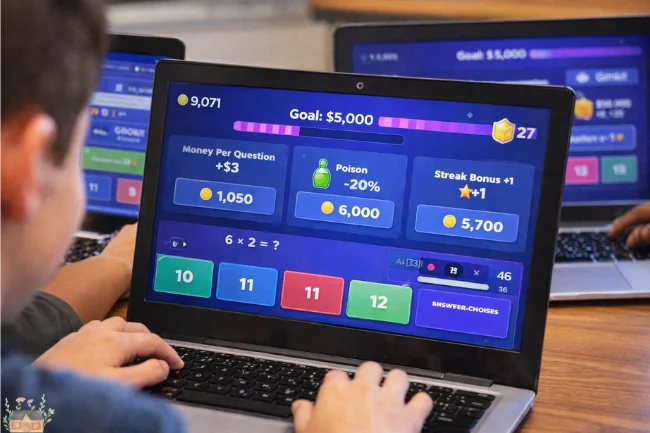
What truly sets Gimkit apart is what happens after students enter the code.
Once inside the game, students answer questions to earn virtual currency. That currency can be spent on power-ups, upgrades, or strategic advantages depending on the game mode.
Why This Works
Educational research consistently shows that active participation and immediate feedback improve retention. Gimkit combines these principles with game mechanics, making repeated practice feel rewarding rather than repetitive (source: Edutopia, “Game-Based Learning in Education”).
Students aren’t just answering questions—they’re making decisions, managing resources, and developing strategies.
Gimkit Codes for Live Games vs Assignments
One of the strengths of the GimKit code system is that it works for different teaching styles.
| Session Type | Description |
|---|---|
| Live Game | Students play together in real time |
| Assignment | Students complete the game at their own pace |
Both use codes, but assignments allow flexibility for homework or remote learning while maintaining the same ease of access.
Common Issues With Gimkit Codes (and How to Fix Them)
Even simple systems can encounter small hiccups. Most issues with Gimkit codes are easy to resolve.
Invalid Code Errors
This usually happens because:
-
A character was mistyped
-
The session has already ended
-
The internet connection is unstable
Solution: Double-check the code and confirm the session is still active.
Students Joining the Wrong Game
Since each code is unique, this usually results from using an old code. Teachers should always generate a new session rather than reusing links from previous games.
Best Practices for Using Gimkit Codes Effectively
Educators who use Gimkit regularly tend to follow a few best practices:
-
Display the code clearly and early
-
Use QR codes for faster entry
-
Enable nickname filters when needed
-
Start the game only after everyone joins
-
End sessions promptly to prevent confusion
These small habits make the experience smoother for everyone involved.
The Simplicity Advantage of Gimkit Codes
At first glance, a Gimkit code looks like a small technical detail. In reality, it represents a design philosophy focused on reducing friction in education.
Instead of forcing students to adapt to technology, Gimkit adapts to classrooms. A short code replaces logins, passwords, and user management, making learning sessions faster and more inclusive.
How Gimkit Codes Support Remote and Hybrid Learning
As classrooms increasingly blend in-person and online instruction, tools must work across environments.
Because Gimkit codes only require a browser, students can join from:
-
School computers
-
Tablets
-
Personal laptops
-
Mobile phones
This device-agnostic approach ensures continuity whether students are in class or learning from home.
The Educational Vision Behind Gimkit
Gimkit was created by Josh Feinsilber, who originally built the platform as a high school project. His goal was to create the kind of learning game he would actually enjoy playing.
That philosophy is reflected in the simplicity of the Gimkit code system: minimal barriers, maximum engagement, and a focus on student experience (source: Gimkit About Page).
Conclusion: Why Gimkit Codes Matter
A Gimkit code may look like just a few characters on a screen, but it plays a crucial role in making game-based learning accessible, secure, and engaging. By eliminating unnecessary steps, Gimkit allows teachers to focus on teaching and students to focus on learning.
If you’re an educator, try using Gimkit codes in your next lesson to see how quickly students engage. If you’re a student, the next time you enter a code, remember that you’re stepping into a thoughtfully designed learning experience built to make education more enjoyable.
Frequently Asked Questions About Gimkit Codes
What is a Gimkit code used for?
A Gimkit code is used to allow students to join a specific Gimkit game or assignment quickly without creating an account.
How long does a Gimkit code last?
Each Gimkit code is temporary and expires once the game or assignment session ends.
Can a Gimkit code be reused?
No, Gimkit codes are session-specific and cannot be reused for new games.
Do students need an account to use a Gimkit code?
No, students can join using only the code and a nickname.
Is it safe to share a Gimkit code publicly?
Gimkit codes are designed for private classroom use. Sharing them publicly may allow unintended participants to join while the session is active.
Read More: Qugafaikle5.7.2 New Version: Features, Download & Install Guide
For broader reading, visit Wellbeing Makeover

Alex Carter is a writer with 10+ years of experience across tech, business, travel, health, and lifestyle. With a keen eye for trends, Alex offers expert insights into emerging technologies, business strategies, wellness, and fashion. His diverse expertise helps readers navigate modern life with practical advice and fresh perspectives.