
Pxless is a concept I didn’t fully appreciate until I watched one of my own “perfect” designs fall apart on a real device. It looked flawless on my laptop, decent on a tablet, and borderline unusable on a phone with a notch. That moment forced me to rethink how I design interfaces. Pxless design, at its core, is about reducing dependence on fixed pixel values and embracing flexible, relative units so digital experiences can adapt naturally across screens, devices, and user preferences.
In this guide, I’m sharing what I’ve learned through hands-on experimentation, production work, and research. I’ll explain what Pxless really means, why it matters more than ever, how it works technically, where it’s being used today, and how I approach adopting it in real projects.
What Pxless Really Means (Beyond the Buzzword)
Pxless doesn’t mean pixels disappear. Screens still render in pixels, and they always will. What changes is how I think about pixels.
For years, design culture pushed “pixel-perfect” as the gold standard. Buttons were 48px tall. Fonts were 16px. Margins were 24px. That approach feels precise, but it assumes every user views content on a predictable screen. That assumption is no longer true.
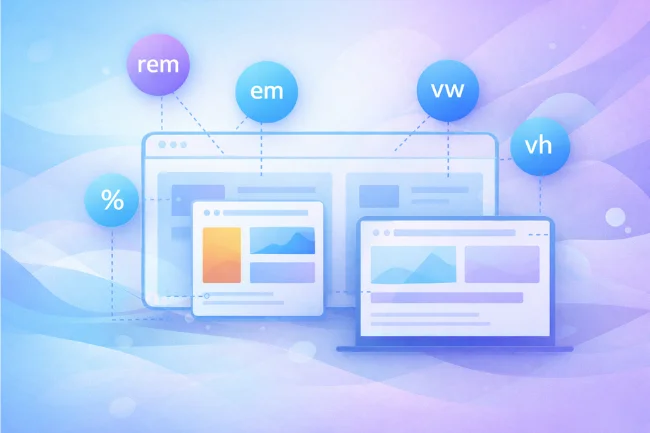
Pxless is a mindset shift. Instead of locking elements to fixed pixel values, I rely on relative units like:
-
remandemfor typography and spacing -
Percentages for layout proportions
-
vwandvhfor viewport-based sizing -
Flexible containers that adapt instead of snapping
I still use pixels occasionally, but only when they serve a clear purpose. Pxless is about proportional relationships, not absolute measurements.
Why Pxless Became Essential in a Multi-Device World
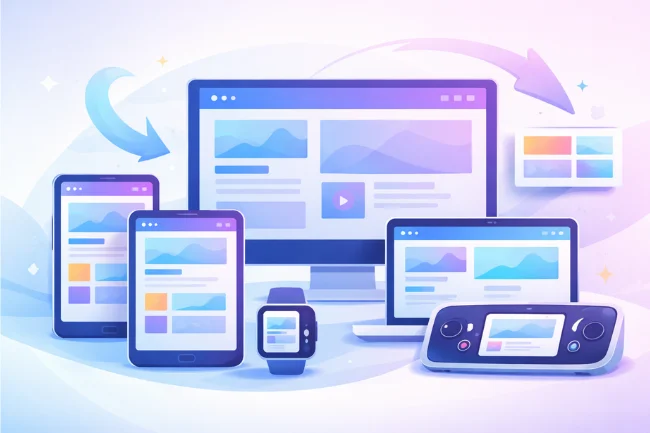
I design for a world where screens bend, rotate, stretch, zoom, and shrink. Phones have dynamic toolbars. Laptops range from 11-inch displays to ultrawide monitors. TVs, watches, car dashboards, and VR headsets all present content differently.
Fixed-pixel layouts don’t break because developers are careless. They break because the environment is unpredictable.
Search engines recognized this shift years ago. Google’s mobile-first indexing made responsive design a baseline expectation, not a bonus. Accessibility regulations such as WCAG also pushed the industry toward layouts that respect user-controlled font sizes and zoom levels.
From my experience, Pxless solves several modern problems at once:
-
It prevents layout collapse on unusual screen sizes
-
It respects user accessibility settings
-
It reduces the need for device-specific redesigns
-
It scales better as new devices emerge
That combination is why Pxless keeps showing up in serious design systems.
Core Principles That Guide My Pxless Approach
Fluidity Over Fixed Layouts
I avoid locking components into rigid positions. Containers grow, shrink, and reflow based on available space.
Scalability at Every Level
Typography, buttons, icons, and spacing should remain usable at extreme sizes. I regularly test designs at 200% zoom to catch failures early.
Accessibility as a Baseline
Pxless naturally supports zooming and text resizing, which aligns well with WCAG guidance on scalable text and adaptable layouts (W3C WCAG 2.2).
Efficiency for Teams
I aim to design once and reuse everywhere. Pxless components adapt instead of multiplying into dozens of variants.
Future-Proof Thinking
I assume devices will keep changing. Pxless helps me design systems that age gracefully instead of requiring constant refactoring.
The Technical Foundation Behind Pxless Design
Pxless works because modern CSS finally caught up with responsive needs.
Relative Units in Practice
-
remties sizes to the root font size, making global scaling predictable -
emadapts to local context, useful for components -
Percentages allow elements to respond to their containers
-
vwandvhadapt to the viewport
I typically define typography and spacing using rem, while layout dimensions lean on percentages and grid-based logic.
Layout Systems That Enable Pxless
CSS Flexbox and CSS Grid are the backbone of everything I do:
-
Flexbox handles alignment and spacing along one axis
-
Grid manages complex two-dimensional layouts
These tools allow content to reflow without pixel math.
Mobile-First by Default
I start with the smallest screen and scale upward. This forces clarity and keeps designs lean.
Fewer Media Queries, Better Results
Pxless doesn’t eliminate media queries, but it reduces dependence on them. Instead of adjusting dozens of pixel values at each breakpoint, I let relative units do most of the work.
Where I See Pxless Working Best in Real Projects
Pxless isn’t theoretical. I see it delivering real value across industries.
Web Design and SaaS Products
Dashboards, blogs, and marketing sites benefit from fluid layouts that feel consistent across devices.
Mobile Apps
Pxless reduces fragmentation between small phones and large tablets while maintaining usability.
E-commerce Platforms
Product grids, filters, and checkout flows scale more reliably when they’re not pixel-locked, improving conversions.
Branding and Marketing
Logos, typography systems, and layout blocks scale cleanly across digital touchpoints without constant resizing.
Education and Accessibility Tools
Pxless supports users who rely on zoom, larger fonts, or assistive technologies.
Benefits I’ve Observed Firsthand
Stronger Responsiveness
Designs adapt smoothly instead of snapping awkwardly between breakpoints.
Built-In Accessibility
Layouts remain stable when users change font sizes or zoom levels, which supports inclusive design standards.
SEO Advantages
Responsive, mobile-friendly layouts align with Google’s ranking signals and improve engagement metrics.
Lower Maintenance Costs
I spend less time fixing edge cases and device-specific bugs.
Long-Term Resilience
Pxless systems age better. When new devices appear, they usually just work.
Challenges I’ve Had to Work Through
Pxless isn’t effortless.
Letting Go of Pixel-Perfect Control
This was the hardest shift. Accepting slight visual variation across devices takes confidence and experience.
Stakeholder Expectations
Clients sometimes expect exact replicas across all screens. I now explain why adaptability matters more than identical rendering.
Tooling Limitations
Design tools still favor static artboards. Features like auto layout and constraints help, but they require discipline.
Testing Complexity
Pxless demands broader testing. I rely on emulators, real devices, and extreme zoom scenarios.
Despite these hurdles, the long-term gains outweigh the discomfort.
Pxless vs Traditional Pixel-Based Design
I still use pixels selectively, but Pxless drives the system, not the exception.
Pxless and Accessibility: A Natural Fit
Accessibility is where Pxless shines the most. Fixed-pixel designs often fail users who increase font size or rely on zoom. Text overlaps. Buttons disappear. Navigation becomes frustrating.
Pxless respects user preferences. When font size changes, layouts adapt. Screen readers benefit from cleaner, semantic structures. This aligns closely with guidance from the W3C and accessibility audits I’ve participated in.
From both an ethical and legal perspective, Pxless supports responsible design.
Tools and Frameworks That Support Pxless Workflows
I don’t rely on one tool, but several ecosystems support Pxless well:
-
Tailwind CSS for utility-first responsive design
-
Bootstrap with rem-based typography and fluid grids
-
Figma and Sketch using auto layout and constraints
-
Material UI for scalable components
-
Design tokens to standardize spacing and typography
These tools reduce friction and help teams stay consistent.
Best Practices I Follow When Adopting Pxless
-
Audit designs for unnecessary pixel values
-
Define spacing and typography using rem-based scales
-
Build reusable, flexible components
-
Avoid mixing absolute and relative units randomly
-
Test aggressively across zoom levels and devices
-
Educate stakeholders early
Pxless works best when it’s intentional, not accidental.
FAQs
What exactly is Pxless design?
Pxless design is an approach that minimizes fixed pixel values and uses relative units, so layouts adapt fluidly across screens and user settings.
Does Pxless mean I never use pixels?
No. I still use pixels where precision is necessary, but I avoid letting them dominate the system.
Is Pxless only for web design?
Not at all. I apply Pxless principles to mobile apps, design systems, and even digital branding.
How does Pxless help with SEO?
Search engines favor mobile-friendly, accessible layouts. Pxless improves usability, which supports better rankings and engagement.
Is Pxless harder to maintain?
Initially, there’s a learning curve. Long term, there’s less maintenance and fewer redesign cycles.
How do relative sizing units affect design consistency across teams?
When teams rely on relative sizing, consistency comes from shared scales and tokens rather than fixed numbers. I’ve found that documenting spacing and typography ratios helps designers and developers stay aligned, even when layouts adapt differently across screens.
Can flexible layouts work for highly visual or brand-driven interfaces?
Yes, but they require stronger design systems. In my experience, visual consistency comes from proportions, rhythm, and hierarchy rather than exact measurements. When those foundations are solid, brand expression remains intact across devices.
What role do design tokens play in modern responsive systems?
Design tokens act as a single source of truth for spacing, typography, and color. I use them to ensure that changes scale globally without manual adjustments, which reduces errors and keeps interfaces coherent over time.
How do container-based layouts change the way components are designed?
Container-based layouts shift focus from screen size to context. I’ve noticed this encourages more modular thinking, where components respond to their surroundings instead of assuming where they’ll be placed.
Is this approach suitable for legacy projects or only new builds?
It can work for both. For existing products, I usually introduce it gradually—starting with typography and spacing—rather than attempting a full rewrite. Incremental adoption has proven far more sustainable in real-world projects.
Where I’d Go From Here
Pxless changed how I think about digital design. Instead of fighting devices, I work with them. If you’re designing for real users on real screens, I strongly recommend experimenting with Pxless in your next project. Start small, test aggressively, and let flexibility replace perfection.
For More Reading: Plftiger: A Next-Generation Framework for Digital Security
Browse Interesting Stuff on Wellbeing Makeover

Alex Carter is a writer with 10+ years of experience across tech, business, travel, health, and lifestyle. With a keen eye for trends, Alex offers expert insights into emerging technologies, business strategies, wellness, and fashion. His diverse expertise helps readers navigate modern life with practical advice and fresh perspectives.